Home theater has been a major hobby of mine since the early 1990s when I hooked my first stereo VCR up to a 2-channel receiver. In college, my roommate start his co-op job and purchased at 20″ TV — my experience was as complete, or so I thought. A couple of years later, Dolby Pro-Logic receivers became available, and I upgraded to 5.1 sound. The addition of a DVD player shortly after they were introduced made a significant impact on sound and picture quality. My next phase was acquiring one of the first 720p 16:9 projectors to be released, which replicated the big theater experience for the first time. The next major revolution was add HD capabilities with a TiVo HD Satellite receiver. Next came the addition of a Blu-ray player and a 1080p projector. I can’t wait to see what further improvements will come my way and fight my resistance to upgrades. . .
My Home Theater Photo Gallery:
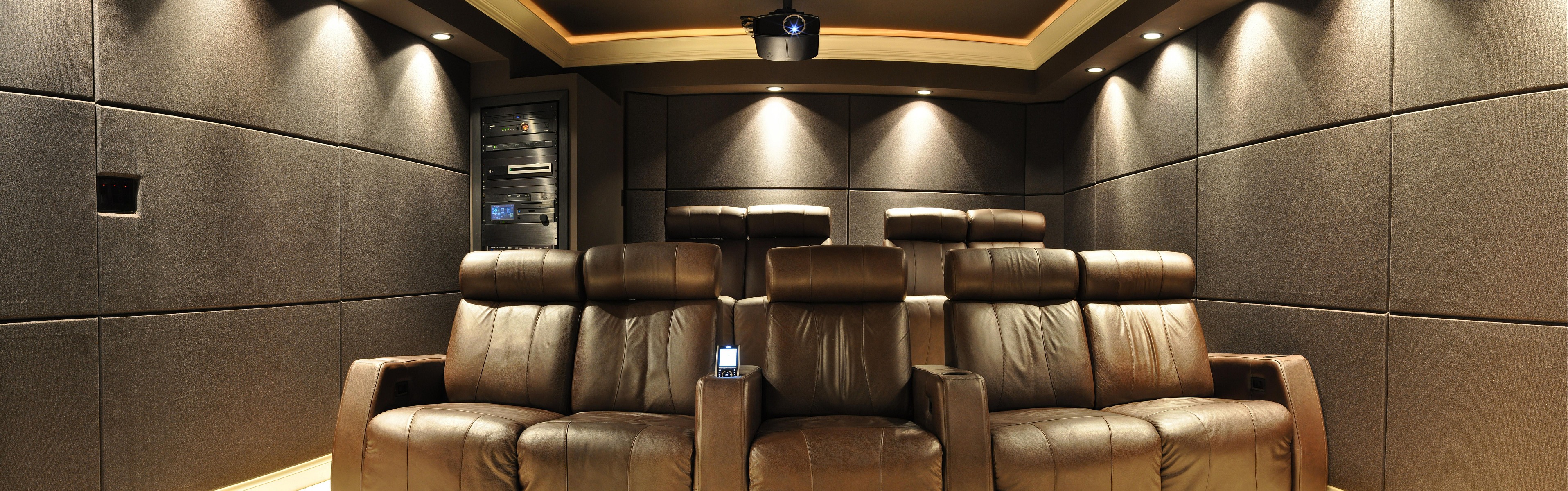
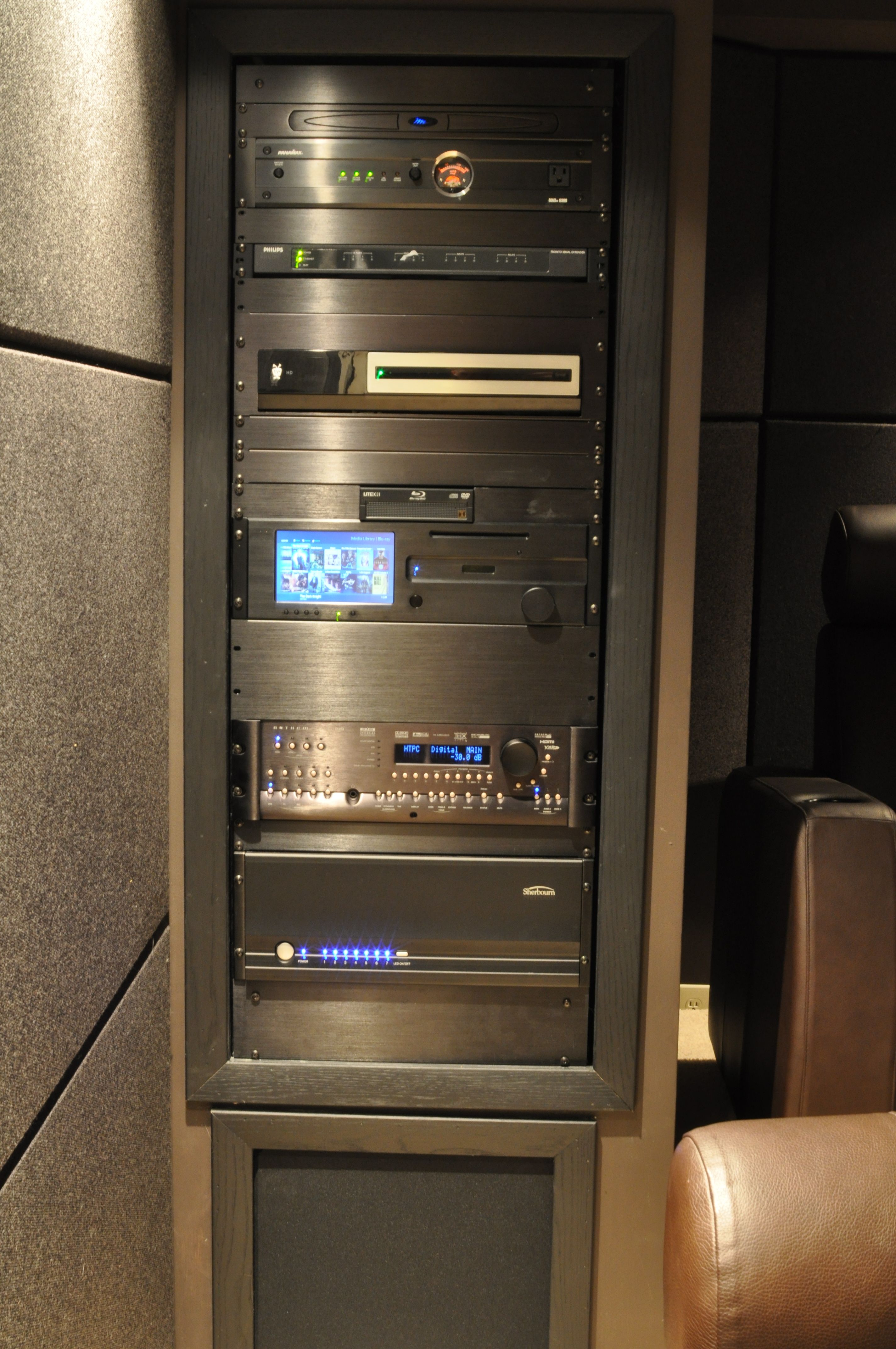
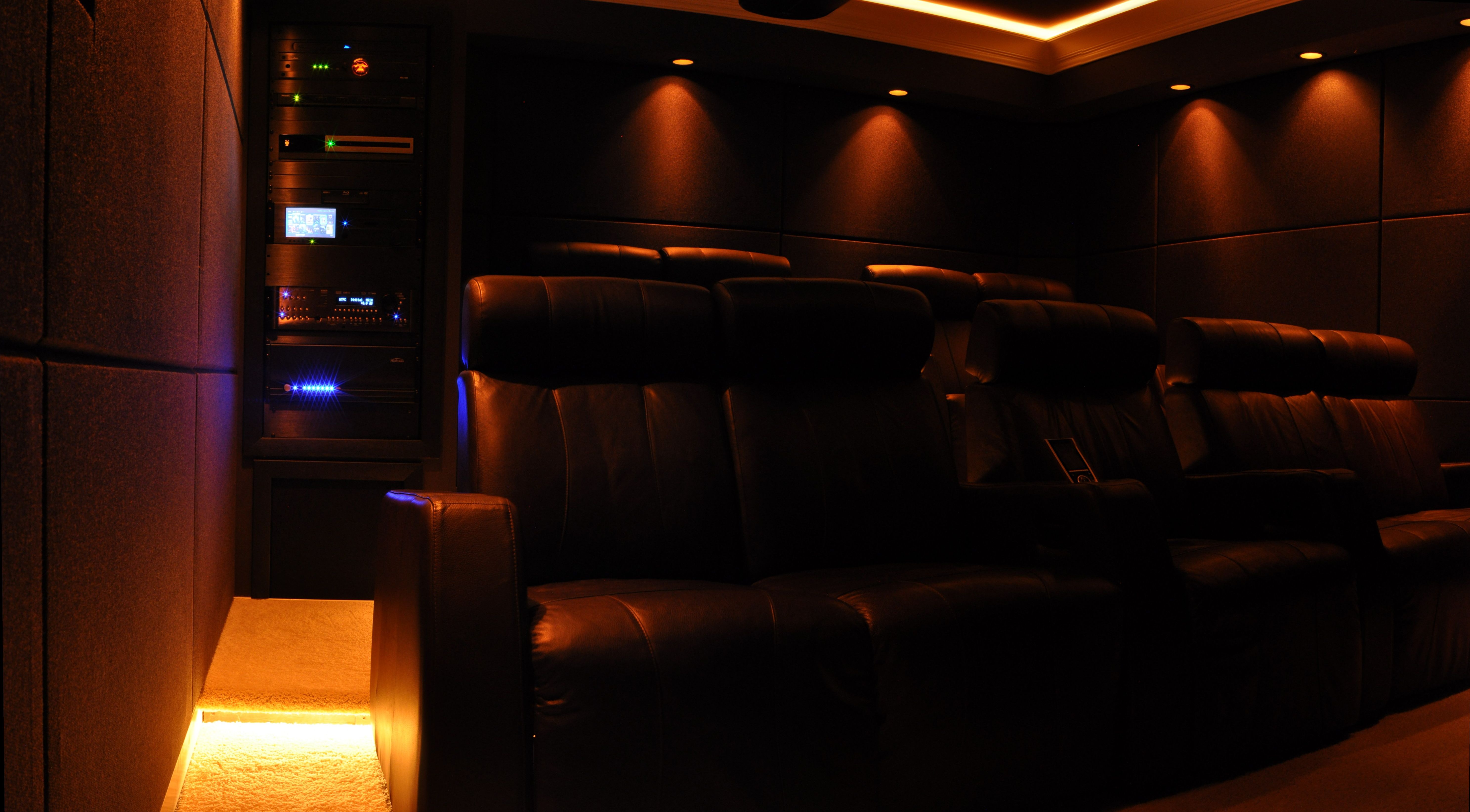
I’ve created a home theater construction photo album showing my current (version 2.0) and my previous (version 1.0) home theaters in various states of progress. The album includes a brief description of each picture, so you can get an idea of how everything was designed and constructed. Here a some pictures of the completed project:


My Movie Collection:
I use My Movies Collection Management to catalog my movie collection and I have it published and viewable online.
My Current Home Theater Room Details and Equipment:
- Room Dimensions: 13 feet wide by 22 feet by 8 feet tall
- Room Treatment: 50 custom-made 2’x4′ audio panels; Ownens Corning SelectSound Black Acoustic fiberglass panels, 45-degree beveled MDF 2″ frame, Guilford of Maine (GoM) fabric covering (Style: Spinel 3582, Color: 021 Obsidian)
- The fiberglass acoustic panel room treatment was by far the single largest contributor to audio quality.
- 60% room coverage; 2 layers installed on the front wall and corners
- Projector: JVC HD750 1080P projector. The JVC D-ILA projectors offer the blackest blacks. I wouldn’t consider any other projector for home theater. The optics are very sharp, THX mode give a great out-of-box initial calibration setting, it operates quietly, has more than enough inputs, and is by far the best projector I’ve ever owned. I purchased my JVC D-ILA HD750 new off of eBay. The projector mount I use is a Chief RPM-223 Elite, with a CMA-006 and CMA-115 ceiling mount and extension pole. It offers a perfect fit, fine adjustment for pitch/tilt/rotation, and a lock for additional security. I purchased the mount components from ProjectorCenter.com and AValive.com

- Screen: Stewart Firehawk 123″ diagonal
- Projector Mount: Chief micro-adjust projector mount
- DVR and Movie Playback: Sage TV HD300; SageTV Server running on a Windows Home Server 2011 computer (in another room), Silicon Dust HD HomeRun Over-the-Air TV Tuners.
- Streaming Media Box: Roku 3
- Movie and Recorded TV Storage: Synology DS-1812+ with seven Hitachi 4TB drives in a RAID 6 array (20TB usable storage)
- Custom Home Theater Personal Computer: see below for more details
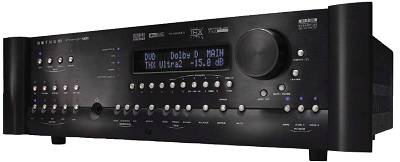
- Pre-Amp Processor: Anthem Statement D2 Preamp Processor with Room Correction, HD video switching and processing. The Anthem Room Correction produces some of the highest audio quality available. Unfortunately, it is sometimes a little finicky when it comes to HDMI synching, occasionally requiring a flip off/on when switching between inputs.

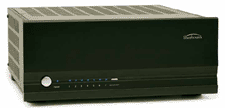
- Amplifier: Sherbourn 72100A 7-channel amplifier. The Sherbourn 7/2100A does everything I need an amp to do: deliver lots of clean, undistorted power. Pure audiophiles say that the amplifier makes a huge difference in sound quality, but it’s my opinion that it has the least effect of any component in a system. This amp delivers 7-channels at a max of 300 watts each, which is more than my home theater requires. It accepts balanced inputs (XLR connectors) from my Anthem pre-amp and turns on and off automatically. Nothing more, nothing less, and all I need, and maybe then some. I purchased mine from Steve at SoundVideo.com.

- Surge Protector: Panamax Max 5300 surge protector
- Subwoofer Location 1: Velodyne HGS15 subwoofer
- Subwoofer Location 2: Four 18″Fi Audio IB318 Subwoofers in custom-mount Infinite Baffle Configure
- Subwoofer Amplifiers: Two Behringer Europower EP4000
- Front Speakers: PolkAudio front speakers RT16 (x2), CS350-LS (all hidden behind floor-to-ceiling and wall-to-wall frames with speaker grill cloth covering)
- Surround Speakers: Sonance Cinema Ultra II SUR (x4) side and rear surround speakers (in-wall, hidden behind fabric panels)
- Seating: 9 Bass Industries Executive-series home theater chairs; motorized recline, Mustang Brown color
- Tactile Transducers: 8 Aura bass shakers; Sony 4-channel receiver for amplification
- Equipment Rack: Middle Atlantic Equipment rack; custom rack adapter helves for non-rack-mount components, retractable light

Home Theater Personal Computer (HTPC):
I currently use a combination of Windows 7 Media Center and the to browse and play my movie collection from any HTPC. I currently use Windows 7 Media Center and the Media Browser plugin and sometimes the MyMovies plugin to browse and play my movie collection. I use Windows Home Server to store all of my movie backups; Slysoft AnyDVD HD is used in the backup process. MyMovies Collection Management for Windows Home Server is used to provide the movie descriptions, cover art, actor profiles, etc., for all of my DVD and Blu-ray backups.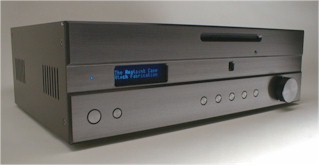 HTPC History: I’ve been a Home Theater Person Computer (HTPC) enthusiast since about 2000, when I borrowed a VGA projector to display movies on the wall but found the lack of a line-doubler intolerable. So I used PowerDVD to play the movie and purchased a high-end (for the time) sound card to output Dobly Digital audio. I later tried XLobby v2 (by Steven Hanna) as a movie browser interface, in hopes of replicating the $40,000 Kaleidescape system I’d seen demoed at the CEDIA home theater trade show. I also tried TheaterTek DVD player software. When Media Center Edition of Windows XP was released, it became my primary platform.
Component Details:
- Microsoft Windows 7 Ultimate 64-bit
- Media Browser Plug-in
- Arcsoft TotalMedia Theatre Blu-ray player
- Intelliremote remote control software
- LogMeIn remote desktop client
- nVidia 9400-based chipset for HDMI video and 7.1 channel LPCM HD Audio, Gigabit Ethernet
- Lite-On Blu-ray drive
- Silicon Dust HD HomeRun TV Turners (four total)
Full Component List:
| Component | Model | Vendor | ||
| Screen | Stewart Firehawk 123″ diagonal | ProjectorCenter.com | ||
| DVR | TiVo HD (over-the-air antenna HD broadcast networks only) | |||
| Media Streamer | Syabas Popcorn Hour C-200 w/internal hard drive and Blu-ray drive added | PopcornHour.com | ||
| OTA HD Antenna | Channel Master 3020 UHF/VHF Antenna Channel Master 9023 Wall Mount for attic mounting |
WarrenElectronics.com | ||
| Remote Control | Philips Pronto Professional TSU9400; RFX9600 IR/RS-232 Base Station (x2) | eBay.com | ||
| Front L/R Speakers | PolkAudio RT16 | Ovation B&M | ||
| Center Speaker | PolkAudio CS350-LS | Ovation B&M | ||
| Side Surround Speakers | Sonance Cinema Ultra II SUR | AudiophileLiquidator | ||
| Rear Surround Speakers | Sonance Cinema Ultra II SUR | AudiophileLiquidator | ||
| Subwoofer | Velodyne HGS 15 | Audio Video Today | ||
| Video Game Console | Microsoft Xbox 360 | Circuit City Black Friday Sale |
||
| HTPC | Self-built, Atech Fabrication 4000 case, Windows 7 Home Premium 32-bit, Gigabyte GA-E7AUM-DS2H motherboard (with NVIDIA 9400 mATX HDMI 8 channel LPCM) motherboard, Intel Core 2 Duo CPU, Blu-ray drive | AtechFabrication.com NewEgg.com |
||
| Media Server | Self-built, Coolermaster Stacker case, Windows Home Server, Tyan motherbaord, Areca ARC1230 RAID card, 14 x 2TB hard drives max | NewEgg.com | ||
| Tactile Transducers (8 total, aka bass shakers) | Aura AST-1B-4, 50 Hz low-pass FMOD crossover | PartsExpress.com | ||
| Amplifier for Tactile Transducers | Old Sony receiver | |||
| Power Protection | Panamax Max 5300 | LetsGoDigital | ||
| Lighting Control | PCS SmartSwitch (Black) x 4, X10 IR543 IR Receiver, X10 Pro PHC02 Maxi Controller | Worthington Distribution | ||
| Video Calibration | Video Essentials [DVD], Digital Video Essentials: HD Basics [Blu-ray] | Amazon.com | ||
| Audio Calibration | Rives Audio Test CD 2, RadioShack Analog SPL Meter | RivesAudio RadioShack | ||
| Seating | Bass Industries Executive Lounger-series home theater chairs; motorized recline, Mustang Brown color. (x 9) | Bass Industries |
List of my Old Equipment (for sentimental reasons. . .):
| Component | Model | Vendor | Use / Disposition | |
| Projector | Sony VPL-HS51 + Chief RPA-102 mount | ProjectorCenter.com | sold on eBay | |
| Projector | Marantz VP12-S1 | SoundVideo.com | Sold | |
| Satellite Receiver | DishNetwork 4000 | Sold | ||
| Satellite Receiver / DVHS Recorder | JVC HM-DSR100U | Sold | ||
| Television | Toshiba CX35f60 35″ television | Circuit City | Sold | |
| Remote Control | Philips Pronto TSU-1000 | Worthington Distribution | Sold | |
| Remote Control | Philips ProntoPro TSU6000 | Sold | ||
| Remote Control | Philips ProntoPro NG TSU7000 | GoPCPlus.com | sold on eBay | |
| Remote Control | Philips ProntoPro NG TSU7500 | GoPCPlus.com | For Sale | |
| Surround Speakers | PolkAudio LS f/x | Sound Seller [info] | Kitchen “ambience” speakers | |
| Television | Panasonic 32″ | Circuit City | Stolen when moving | |
| VHS VCR | JVC 830u | Crutchfield | Sitting in closet | |
| DVD Player | Toshiba SD2108 | PCMall.com | Gave to my mom | |
| Receiver | Pioneer Pro Logic | Crutchfield | Stolen when moving | |
| Receiver | Onkyo TX-DS939 | The Sound Approach [info] | Died a loud and painful death | |
| Receiver | Anthem Statement D2 | Audiogon classifieds | Sent to Anthem for repair, replaced by D2v | |
| Satellite | Philips DSR6000 TiVo | Direct Connection | gave away on TiVoCommunity.com | |
| Satellite HD | Hughes HR10-250 TiVo | BestBuy B&M | in closet gathering gust | |
| Amplifier for Tactile Transducers | Samson Servo 120a | Sweetwater.com | sold on ebay | |
| Video Game Console | Microsoft Xbox | BestBuy B&M | Next Door Neighbor | |
| VHS VCR | JVC 830u | Crutchfield.com | in closet gathering dust |
Carlton, I am in the final stages of building my dream home, which includes a home theatre. The room is 20.7″ x 17.5″ with 9 ft ceilings. I have an Onkyo TX-NR3010 Receiver, Onkyo BD-SP809 Blu-Ray Player and Harmony 1100 Universal Remote. I have 4 in-ceiling Proficient C840 Surround Speakers, 2 in-wall Polk 265-RT speakers for my front R&L speakers and a Polk 255c-RT as the front center speaker. I still have a few items left to purchase and would appreciate your opinions on each. The first is the subwoofer, which I have been looking at getting 2 SVS SB13 Ultra subwoofers. I have read some great reviews, but would like to know if you have any experience with them? Also, I have been looking at the Epson PowerLite Home Cinema 5020e Projector and am curious of your thoughts on this one and lastly on the screen. I have actually purchased a Da-lite Cinema Contour DaMat 65×116 screen, which is 133″ diagonal. My fear is that this is actually too large and am thinking of going down one size screen to the 119″D screen. Again, I appreciate your thoughts on this as well. Thank you in advance! Dennis
Hi Dennis. Sounds like an awesome setup. I don’t have any direct experience with SVS SB13 subs, but I have with other (lower) models and they were awesome. I think you will be very happy with 2 SB13s.
From what I understand, the Epson 5020e is quite bright. In a light-controlled room, I think it could do a great job on a 133″ screen. I would try it with that screen first before downsizing. Given the option, I would pick the 133″ screen (unless the room is really bright.)
Good luck finishing your build!
why aren’t your new subwoofers listed?
Hi, sweet site love all the ideas! i have a question is 100inch screen to larger for a 16 1/2ft long 11ft wide?
No, it’s not too big. This seems about right.
Hi Carlton,
I’m getting ready to install a home theater in a new construction basement. I love how your equipment is organized. Could you point me to the type of racking that you have?
Thanks!
Chad
Hi Chad. My equipment rack is from Middle Atlantic. They can be ordered in a variety of configurations and heights. I got the standard version (no side panels or other add-ons) and installed it in a drywall enclosure. The rack shelves are Middle Atlantic as well. They have a huge database of components and custom laser cut each one to exactly match each component. If they are missing a component in their database, you can either send it to them or send them the measurements. (You typically order through a dealer/retailer, not directly from them.)
Hi Carlton,
First of all I have to say that’s a awesome home cinema. I am interested in one to make so, I was checking your list and googling it where can I get the stuff half the stuff from the list is discontinued from the manufacture. Is it possible for you if you can update this list with the best products in available in the marker and roughly how much it’s cost.
Thanks
Akki
Akash, I’ll try to update this page at some point, but my suggestion is that you start with the Gear page for now.
What is the size of your theater
It’s 13 feet wide by 22 feet deep. The ceiling is 8 feet high at the highest point.
I can get a used by in great shape JVC DLA-HD750 for $1500. Is that going to still be good, or have other projectors improved enough that I could get the same quality at a lower price new ? What is the difference between a D-ILA and a DLA ? Thanks for all of your research and sharing.
Lance
Lance, I still have my HD750 and haven’t found a compelling reason to upgrade. The newer JCV projectors have slightly better native contrast ratios, and a gimmicky pixel shift faux 4k mode, neither of which are astronomical jumps forward.
The only reason to consider alternatives is brightness. You can now get much brighter projectors in that price range. But JVC still excels in native contrast ratio, and that is what makes the picture “pop” (versus other projectors that use an iris to make certain scenes darker than other and measure “dynamic” contrast ratio instead.)
Thanks Carlton, that makes me feel better. I ended up buying it for $800. I think I got a bargain. I may be looking to you for configuration down the road. Thanks again for all of your research and calculation spreads.
Lance
Hello Carlon,
how are you?
i have to know what is use of Sage TV?
Gafoor: SageTV is PC software that records live television and plays back movies at full Blu-ray quality from a server on your network. SageTV media extenders and/or PC clients are at each TV. The company was acquired by Google and the software is now open source. http://forums.sagetv.com/forums/
Hello Carlton, who do you recommend for home theater installation? Any company in Bay area which really can be trusted?
Sorry, I don’t know the installers in that area. You’ll need to interview them and select the one that you think best matches your objectives. CEDIA is a good place to start to find well trained dealer and installers.
Hi Carlton, your blog is great! I am in the midst of building my home theater, but kind of stuck with a 17′ by 16′ by 9′ height ceilings room. I am planning on using the Epson 5040UB. I did plan on putting a riser for the back seats that sticks out about 5′ therefore leaving around 12′ for the first row and the back row a little further back. My question is do you think a 120″ screen be to big? Should I just go with a 110″? Thanks!
I think 120-inches is perfect. I sit 11 feet from a 123-inch screen.
What is the weight of your theater???
Hey Carlton, great blog and VERY informative! Probably one of the better blogs on home theater design. Quick question for you. I am very interested in creating a screen enclosure like the one you have pictured here, as my screen is also 123″. Do you have the specs on how you built it? It looks like it is covered in similar fabric covering as your panels, but black, right? Is the enclosure hollow? Thanks!
Thanks for the positive feedback!
The enclosures beside and below the screen are hollow frames made out of 2×4 pieces of lumber. The edges of the frames were rounded using a router and then painted black and covered with black speaker cloth. There is a separate frame covering the center, left, and right speakers. Each frame has 2 sides/faces, with the other 6 “sides” bring against the walls, floor and ceiling. Otherwise, too much light will show through the speaker cloth and you can see inside.
I hope this helps!
Thank you for your reply, Carlton. So you actually built your speakers (left, right, and center) into the frame? Interesting. Additionally, I’ve always read that you want to make sure the wall behind your screen is completely sound proof. Wouldn’t having hollow frames around the screen impact the overall sound in your theater? Would an option be to build the frame as you have done with the speakers built in, but perhaps fill the frame with insulation? Thanks again for your time!
I wouldn’t describe it as the speakers being built into the frame. The frames are 98% air. The frames are basically acoustically-transparent speaker cloth being held up in front of / beside the speaker. Because it’s acoustically-transparent material, it has virtually no effect on speaker performance (just like a speaker grill covered in grill cloth).
The front wall of the theater (behind the front speakers) is covered in sound absorption insulation. You wouldn’t want to surround speakers or fill the frame in that material. The speakers need some free space around them. The acoustic treatments should only be on the wall behind the front speakers.
Hi Carlton. Your blog is great! I find myself coming back to it quite often to reference during my home theater project. One quick question. What did you do for ventilation?
Josh, for my home theater, I added a flexible supply line feeding 2 vents in the theater room. This is in addition to the one vent that was already there.
For the return, I installed a silent bathroom exhaust fan in the equipment rack closet that vents to the room outside. This helps move air through the room, and hot air out of the closet. This in addition to the one return already in the room.